Tutorial Video
Purchase your license now and start professional copy trading today.
Step 1
Buy License
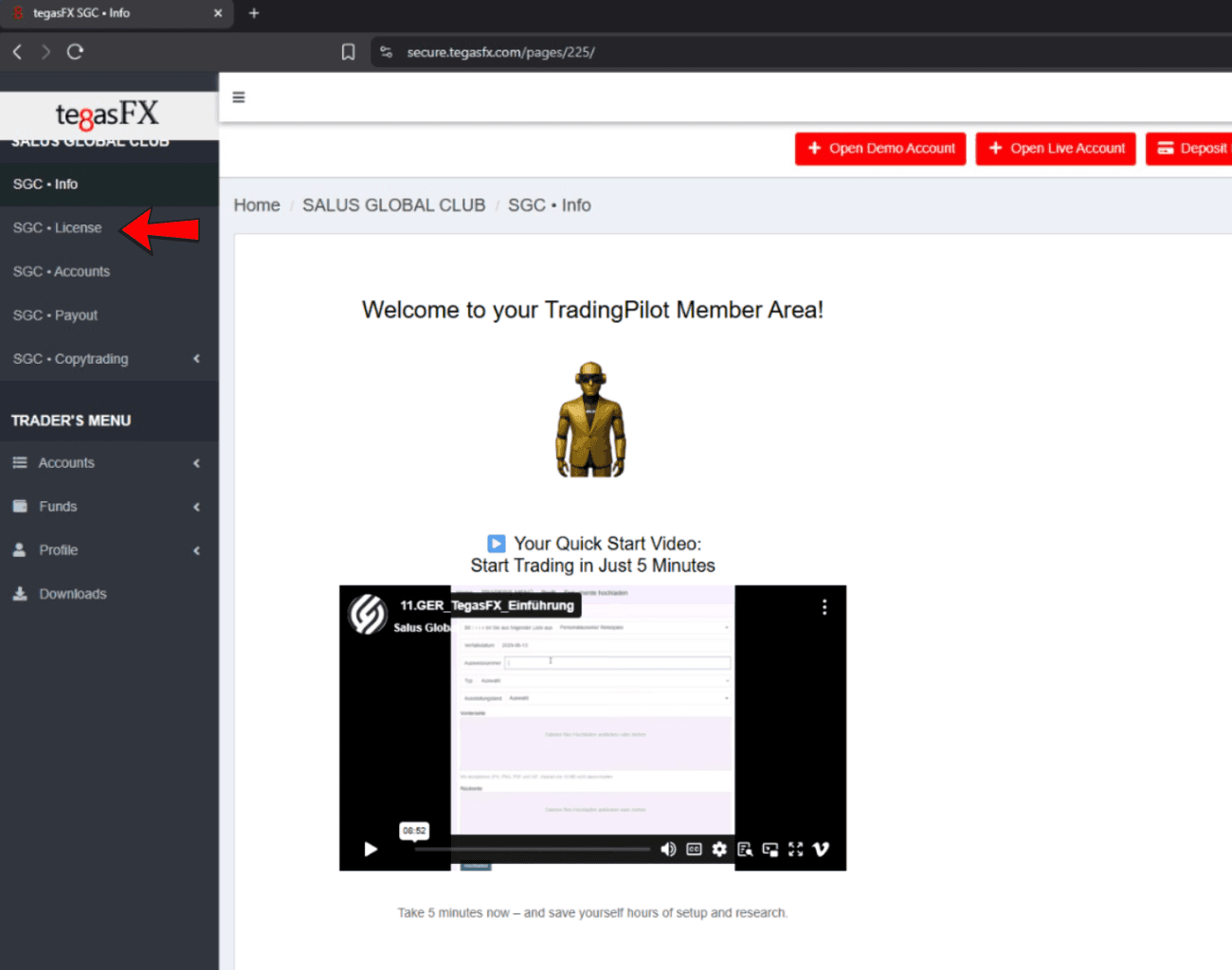
1️⃣ Click: "License" on the left
2️⃣ Click: + Get Funded AccountStep 1
Buy License
1️⃣ Click: "License" on the left
2️⃣ Click: + Get Funded AccountStep 1
Buy License
1️⃣ Click: "License" on the left
2️⃣ Click: + Get Funded AccountStep 1
Buy License
1️⃣ Click: "License" on the left
2️⃣ Click: + Get Funded Account
Step 2
Choose your Wallet
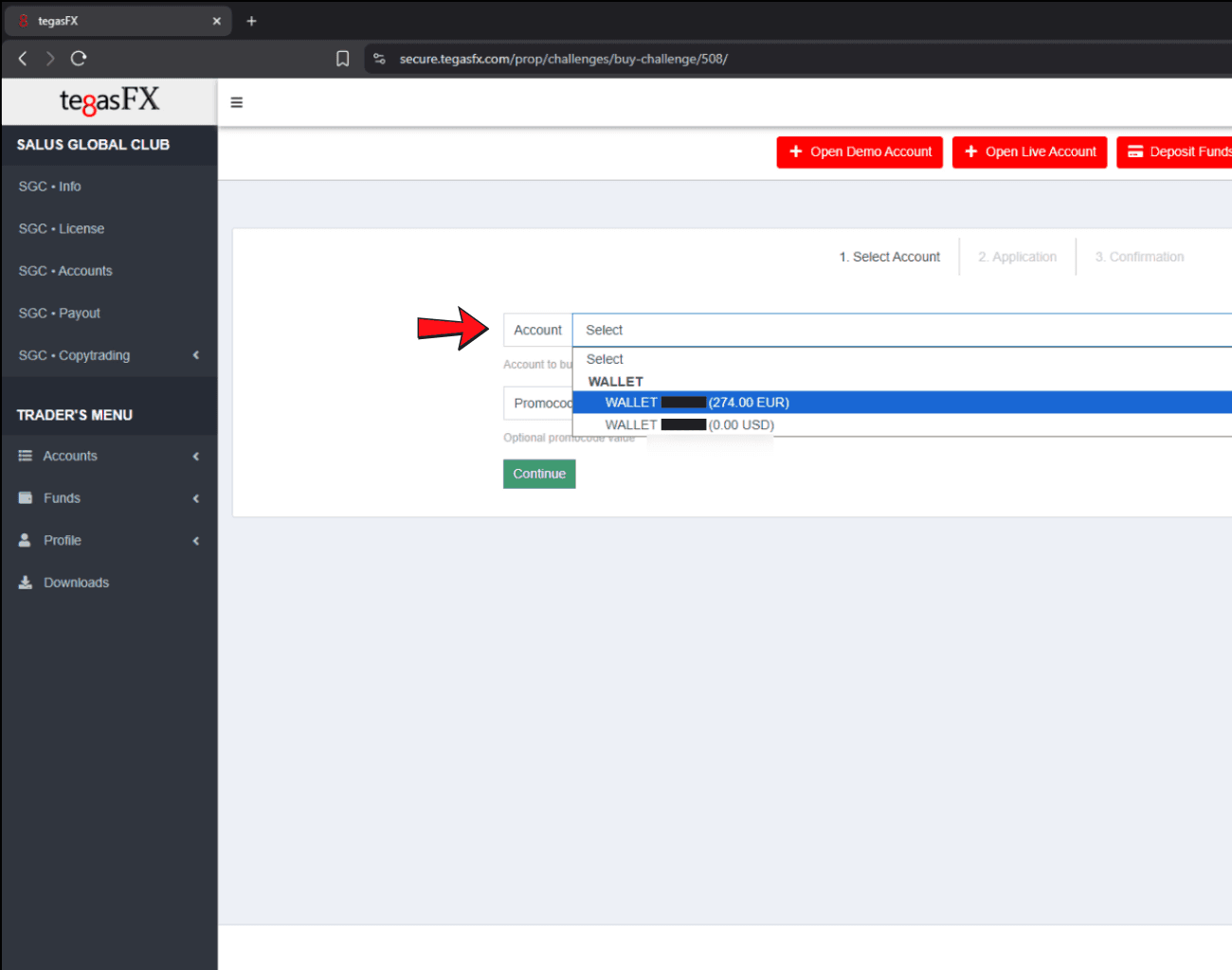
1️⃣ Select your funded account.
2️⃣ Accept the confirmation and click "continue"Step 2
Choose your Wallet
1️⃣ Select your funded account.
2️⃣ Accept the confirmation and click "continue"Step 2
Choose your Wallet
1️⃣ Select your funded account.
2️⃣ Accept the confirmation and click "continue"Step 2
Choose your Wallet
1️⃣ Select your funded account.
2️⃣ Accept the confirmation and click "continue"
Step 3
Account Overview
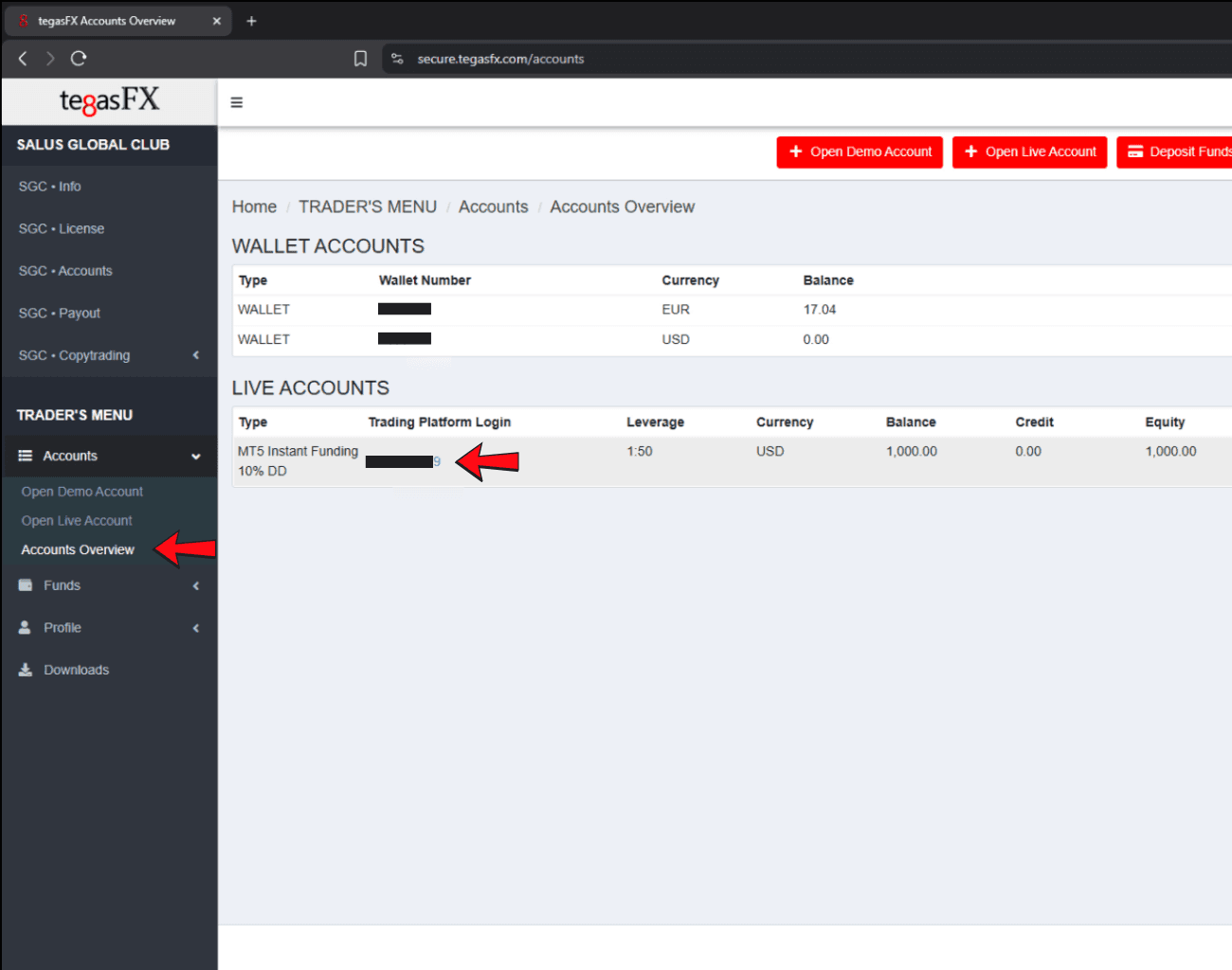
Open your Account Overview under Accounts. There, you’ll find an overview of your wallets and live accounts.
Click on your login number or on “View” to display all further details.Step 3
Account Overview
Open your Account Overview under Accounts. There, you’ll find an overview of your wallets and live accounts.
Click on your login number or on “View” to display all further details.Step 3
Account Overview
Open your Account Overview under Accounts. There, you’ll find an overview of your wallets and live accounts.
Click on your login number or on “View” to display all further details.Step 3
Account Overview
Open your Account Overview under Accounts. There, you’ll find an overview of your wallets and live accounts.
Click on your login number or on “View” to display all further details.
Step 4
Account Details
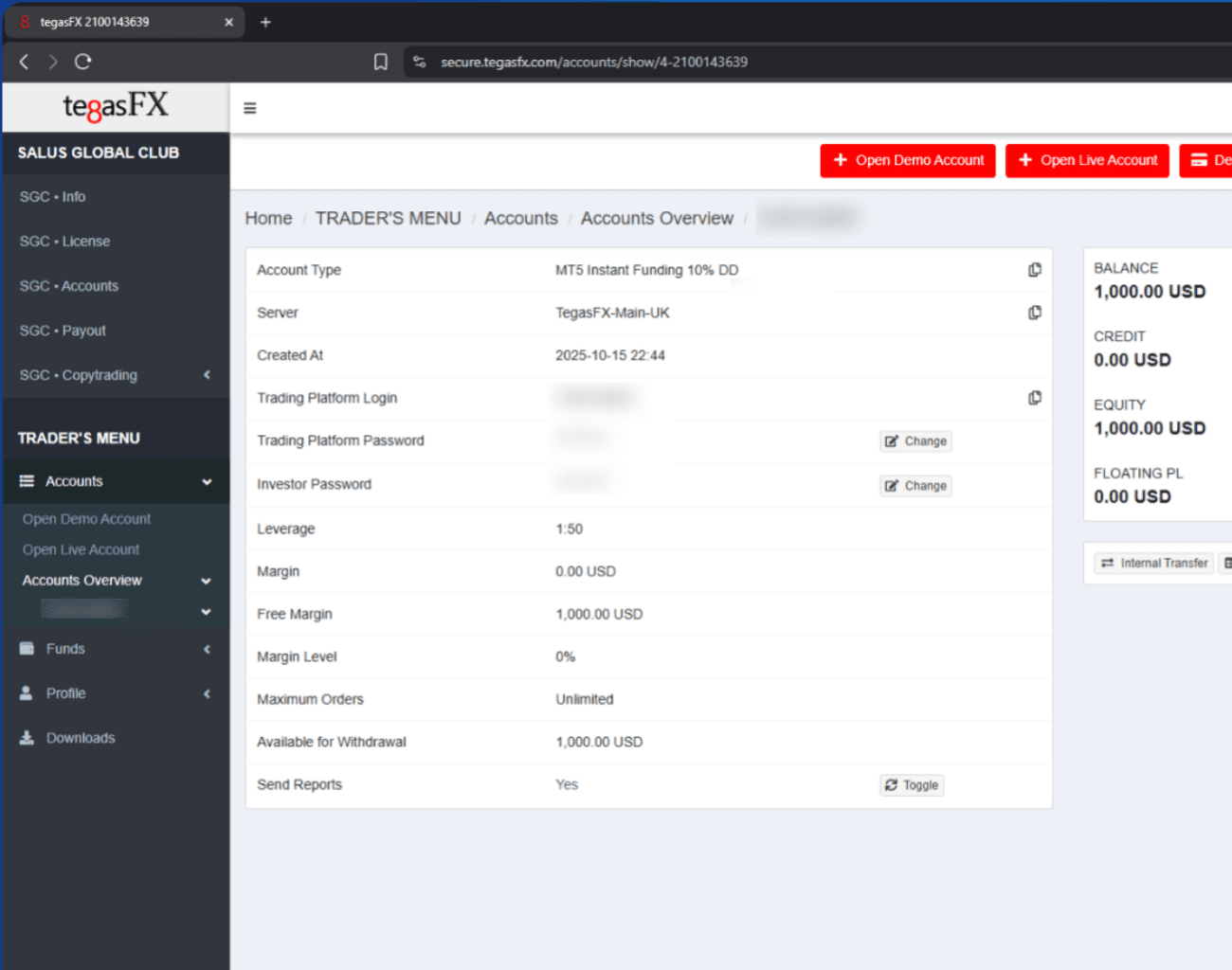
In this overview, you’ll find all the information about your account details, your withdrawal amount, and much more.
Step 4
Account Details
In this overview, you’ll find all the information about your account details, your withdrawal amount, and much more.
Step 4
Account Details
In this overview, you’ll find all the information about your account details, your withdrawal amount, and much more.
Step 4
Account Details
In this overview, you’ll find all the information about your account details, your withdrawal amount, and much more.